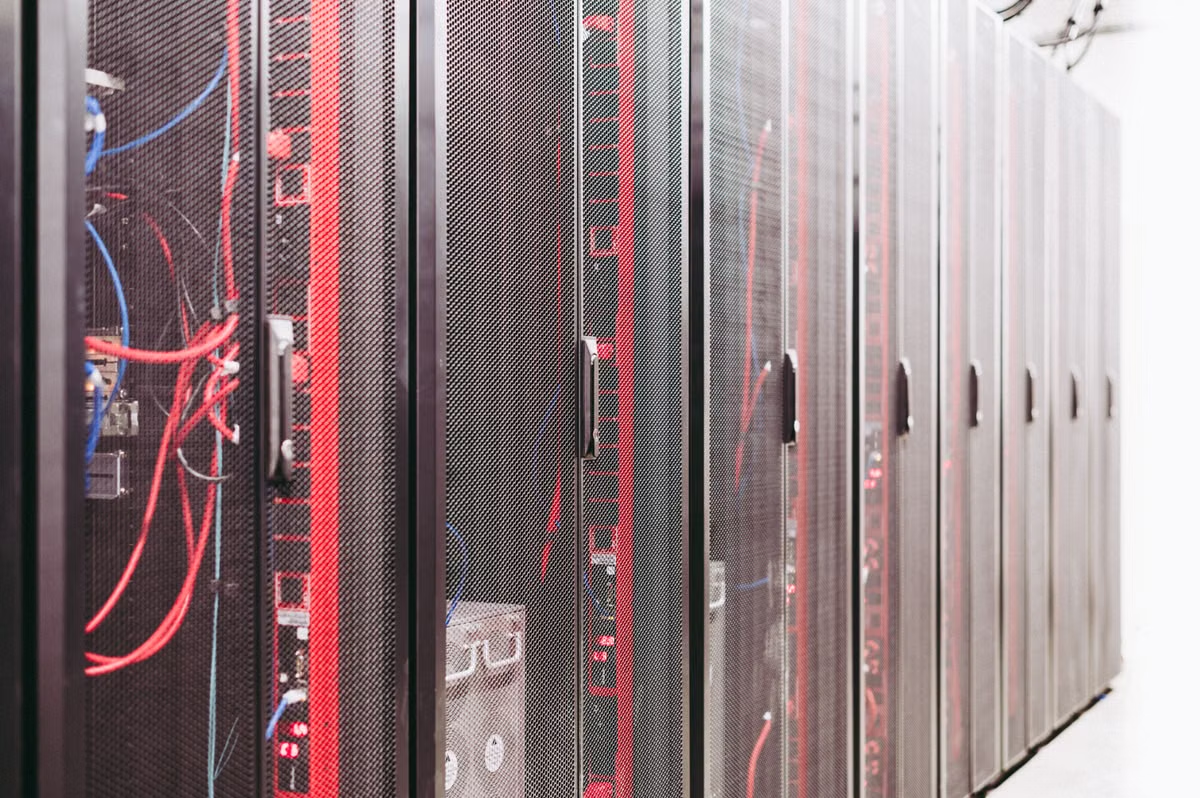
Your VPS is sitting idle while your laptop fills up: turn it into a remote download center and private file workspace, provided that storage, bandwidth policy, and access controls fit your workload. For the fastest safe path, deploy Aria2 behind a protected web interface, mount persistent storage, then add a private cloud layer only after downloads and backups work.
This guide is for remote workers, content creators, and heavy download users who want files to move without leaving a personal computer running. It is not aimed at users who need local USB devices, macOS-only software, or a high-performance editing workstation.
Reframe the VPS as a persistent file service
Most VPS buyers begin with a narrow idea: install a web server, deploy an application, and stop there. That leaves two valuable resources underused:
- Network connectivity that remains available when your laptop is offline.
- A remote storage and processing location that you can reach from several devices.
This is the foundation of advanced VPS use cases. The server does not need to replace your computer. It can act as the place where files arrive, wait, get organized, and become available for later use.
A useful workflow looks like this:
- You add a download from your phone or browser.
- The VPS retrieves it without depending on your home connection.
- The completed file lands in a persistent storage path.
- A private cloud application indexes the file.
- You preview, share, or download it from another device.
- A separate backup process copies important data away from the VPS.
That sequence separates transfer from consumption. You do not need to keep your computer awake, maintain a stable home upload connection, or restart a download after every network change.
The VPS still has limits. It is not automatically a large hard drive, a backup system, or a media workstation. You must choose storage deliberately, check the provider’s traffic policy, and protect every management interface.
Identify the hidden costs before deployment
Storage is usually the first bottleneck
Offline downloads accumulate quickly because completing a task does not remove the source file. Temporary files, partially completed files, thumbnails, application data, and backups all need space.
Docker’s documentation explains that volumes are designed for persistent data and have a lifecycle separate from the container that uses them. That matters because deleting and recreating a container should not delete your file library when the data is stored correctly. Read the Docker volume storage model before choosing a compose layout.
Use separate paths for:
- Incomplete downloads.
- Completed downloads.
- Private cloud user data.
- Database files.
- Application configuration.
- Backups or backup staging.
Do not treat the container’s writable layer as your archive. A container rebuild is a normal maintenance action. Your files should survive it.
Bandwidth is not the same as unlimited transfer
A VPS can have a favorable network location, but that does not guarantee unlimited or unrestricted traffic. Providers may apply transfer quotas, fair-use policies, port restrictions, or abuse controls. Heavy downloading also creates outbound traffic when you later retrieve the files.
Measure three flows independently:
- Download traffic from the source to the VPS.
- Upload traffic when the VPS serves files to you.
- Replication traffic to an external backup target.
A download center that looks inexpensive can become wasteful if every file is fetched once and then repeatedly pulled back to your laptop. For large archives, process or preview them remotely and transfer only the finished output.
A public dashboard expands your attack surface
Aria2 is powerful because it can handle several transfer methods and exposes many configuration options. That power becomes a risk when its remote control interface is published directly to the internet.
Keep the control plane private where possible. Use a VPN, an SSH tunnel, or an authenticated reverse proxy. If you must publish a web interface, use HTTPS, strong credentials, and an allowlist or firewall restriction.
The same principle applies to a private cloud. A file platform contains account data, filenames, previews, share links, and sometimes sensitive documents. “Private” means you control the server; it does not mean the installation is secure by default.
Build the download center in milestones
The following sequence is an Aria2 deployment tutorial in operational form. It avoids the common mistake of installing several applications at once and then having no clear way to identify the failure.
Milestone one: verify the server and storage
Confirm that you can connect through SSH and that the operating system receives security updates. Then inspect:
- Available disk space.
- Mounted disks and their filesystem type.
- Current memory and CPU pressure.
- Provider traffic usage.
- The directory that will hold persistent data.
Create a dedicated service user if your operating system layout allows it. Do not run every download and management process as root. Decide which folders that user can read and write before adding a web interface.
If your files matter, attach storage that matches the retention period. Short-lived testing can use the VPS disk. A long-running archive may need an external block volume or object-storage destination. Do not promise yourself that backups will be added later; define the destination before the library grows.
Milestone two: install Aria2 with controlled concurrency
Install Aria2 from your operating system’s trusted package source, or use a maintained container image that you can update. Keep the configuration file outside the disposable container layer.
The Aria2 manual documents controls such as --max-concurrent-downloads and --split. Start conservatively. A practical initial test is three concurrent tasks and two connections per task, then adjust only after checking disk I/O, memory, source behavior, and transfer policy. These are starting settings, not a performance guarantee.
Use a separate session file so queued tasks can resume after a restart. Define a download directory explicitly. Enable completion notifications only after the basic path works.
Avoid turning on every protocol or feature immediately. First prove that one normal HTTP or HTTPS download can:
- Start remotely.
- Resume after interruption.
- Write to the expected directory.
- Complete with the expected filename.
- Remain available after the service restarts.
Then test any additional protocol that your workflow genuinely requires.
Milestone three: add a web interface without exposing control
A web interface makes remote task management easier, but it should not be the first security boundary you ignore. Bind the Aria2 RPC service to a private interface when possible. If the interface needs remote access, place it behind an authenticated proxy or connect through an encrypted tunnel.
Use a separate secret for RPC access. Do not copy credentials into public screenshots, shell history, or shared compose files. Restrict file permissions on the configuration file because it may contain access tokens and download paths.
At this stage, test from a second network. A service that works inside your home network may fail remotely because of firewall rules, DNS, or proxy configuration. Remote work requires testing the actual path you will use, not only the local browser.
Milestone four: connect the result to a private cloud
A private cloud drive adds indexing, accounts, sharing, and browser-based access. It does not replace the download manager. Keep those roles separate:
- Aria2 retrieves files.
- The storage path retains files.
- The cloud platform indexes and presents them.
For a private cloud drive setup, Nextcloud can connect to external storage through supported backends. Its documentation describes external storage configuration in the Nextcloud external storage guide. This can be useful when the download directory should not be copied into the application’s own data directory.
FileRun is another option for file organization and browser access. Check its published server requirements before installation rather than assuming that every small VPS will be comfortable with the complete stack.
The key design decision is ownership. If the download service writes files as one Unix user and the cloud service reads them as another, permissions can break indexing or uploads. Use a shared group, carefully chosen directory permissions, or a supported external-storage method. Avoid opening permissions broadly just to make the first test pass.
Milestone five: validate previews and sharing
A file online preview server is valuable when you need to inspect documents or media without downloading every item to your laptop. It also creates extra processing and exposure.
Test the exact file types used by your workflow. FileRun provides separate documentation for file preview behavior. Use that documentation to check supported previews and server-side dependencies.
For every shared-link workflow, test:
- Whether the link can be revoked.
- Whether an expiry can be applied.
- Whether a password is required.
- Whether directory listings are blocked.
- Whether previews expose more information than intended.
Do not publish the raw download directory through a basic web server. A private cloud application should enforce authentication and permissions. A static file server has a different security model and can accidentally expose filenames or unfinished files.
Milestone six: add backup and recovery testing
A second copy is not a backup until you can restore it. Use a separate destination for important documents, project assets, and irreplaceable media. The destination can be another server, object storage, or a local disk that is not permanently mounted.
Tools such as restic require a repository preparation step and a password or key model. Read the restic repository preparation documentation before scripting backups.
Create a recovery test with a small representative folder. Confirm that:
- The backup job can read the files.
- The repository remains accessible after the VPS is unavailable.
- The encryption key is stored separately.
- Restored filenames and permissions are usable.
- The backup does not consume the same storage pool as the source.
A backup job that fills the same disk as the download queue only creates a second failure mode.
Use decision branches before choosing the architecture
Choose the simplest architecture that satisfies your actual workflow.
- If you only need unattended downloads, choose Aria2 plus persistent storage. Do not install a full cloud suite.
- If you need accounts, browser access, sharing, and file indexing, add Nextcloud or FileRun after the download path is stable.
- If you need to connect several storage providers, evaluate
rclone. Its overview of supported storage workflows explains why it is useful as a transfer layer rather than a replacement for a file-management interface. - If your data is temporary, use a short retention policy and delete completed files automatically after verification.
- If your data is valuable, choose a backup destination before increasing the download queue.
- If you need physical USB access, local media ingest, or desktop applications, fall back to a local computer or a suitable remote Mac instead of forcing the VPS to behave like a workstation.
- If the provider’s traffic terms are unclear, do not use the server for sustained heavy transfer until you receive a clear answer.
- If several people will access the files, use separate accounts and permissions. Do not share one administrator login.
This decision structure prevents a common purchasing error: selecting a large server to compensate for a weak storage plan or poor access design.
Compare the main file-management options
| Option | Best fit | Main strength | Main limitation | Management load |
|---|---|---|---|---|
| Aria2 with a web interface | Remote and unattended downloads | Lightweight task control and resumable transfers | Not a complete file library or collaboration system | Low to medium |
| Nextcloud on persistent storage | Personal cloud files, accounts, and sharing | Broad collaboration and external-storage options | More components to update and secure | Medium to high |
| FileRun on persistent storage | Browser-based file management and previews | Focused file access and preview workflows | Requirements and supported features must be checked before deployment | Medium |
| VPS plus local backup | Important files with a separate recovery copy | Better resilience than one-server storage | Requires a second destination and restore testing | Medium |
| Local computer or remote Mac | Physical devices and desktop software | Better hardware and application compatibility | Depends on the computer being available and connected | Low to medium |
The table is a planning aid, not a performance ranking. Application behavior depends on the VPS CPU, memory, disk type, storage path, network policy, and file formats.
Apply firewall and bandwidth controls
Start with the smallest exposed surface. Ubuntu’s server firewall guidance explains the role of host-level firewall rules, while the UFW manual documents the command behavior.
A typical web service may need TCP ports 80 and 443. SSH commonly uses TCP port 22, but you should confirm the port configured on your server instead of assuming it. Open only the ports required by your architecture. Keep Aria2 RPC private if the web interface can communicate locally.
For bandwidth management:
- Record the provider’s transfer allowance and billing rule.
- Set Aria2 concurrency below the level that causes storage or CPU pressure.
- Schedule large transfers for periods when they will not disrupt interactive work.
- Watch inbound and outbound traffic separately.
- Stop or throttle queues when usage approaches the provider’s limit.
- Remove abandoned partial files after confirming they are not resumable.
- Review access logs for repeated authentication failures.
Do not confuse throttling with security. A slower malicious request is still a malicious request. Use authentication, firewall restrictions, software updates, and log review together.
Review the plan before you commit
Use this procurement check before ordering a VPS for the 2026 VPS use cases described here:
- Storage is persistent and expandable.
- The traffic policy permits your intended download pattern.
- The server location is practical for your users.
- The operating system receives security updates.
- You can access SSH through a restricted path.
- The application data and database are not trapped in a temporary container layer.
- A backup destination exists outside the VPS.
- You have tested one restore.
- Your private cloud platform meets the file-preview requirements.
- You know whether your files need local hardware or macOS software instead.
A VPS is a strong fit when the work is network-oriented, unattended, and accessible through standard web or command-line tools. It is a poor fit when the work depends on a physical device, local GPU behavior, a color-managed editing setup, or an application that must run on macOS.
Your current VPS plan may still be the wrong long-term tool for Apple development, macOS testing, Xcode builds, or workflows that need a real Mac interface. It lacks macOS itself, local Apple hardware, and direct access to physical Mac peripherals. In those cases, renting a Mac through Kvmkit’s Mac infrastructure overview can provide a more suitable remote environment. You can also compare a Kvmkit Mac rental location when evaluating whether a managed Mac option fits your remote-work requirements. Keep the VPS for transfers and lightweight services, and use the Mac when the task genuinely requires Mac hardware.
Frequently asked questions
The following answers address common searches around this setup without treating every VPS as a universal replacement for a computer.
What is the safest way to follow an Aria2 deployment tutorial on a VPS?
Start with a private management interface, not an openly exposed dashboard. Put Aria2 behind authentication, restrict administrative ports with the host firewall, and store downloads in a dedicated directory or Docker volume. Begin with a small number of concurrent tasks, test resumable downloads, and review access logs before allowing remote access from multiple devices.
How should I approach private cloud drive setup on a VPS?
Separate the application, database, and user files before you install a private cloud platform. Use persistent storage rather than a disposable container layer, enable HTTPS, create individual accounts, and define a backup target outside the VPS. Nextcloud and FileRun can work well, but your storage capacity, recovery plan, and maintenance time matter more than the interface.
Which 2026 VPS use cases are useful for remote workers and creators?
The strongest use cases are unattended downloads, centralized project archives, media handoff, document access, file conversion, and a private preview environment. A VPS is especially useful when your laptop is often asleep or changes networks. It is less suitable as the only copy of valuable files or as a workstation for applications that require local hardware.
Can a VPS be used as a file online preview server?
Yes, if the platform supports the file types you need and the server has enough CPU, memory, and storage I/O for previews. FileRun documents its preview requirements and supported behavior separately from basic file serving. Test large videos, archives, office documents, and shared links before moving a production workflow to the server.
If you need a temporary download hub, a controlled file workspace, or a test environment rather than a permanent high-volume archive, Kvmkit can be a practical alternative to buying and maintaining dedicated Mac hardware. A Mac rental is not the economical choice for bulk storage or unattended transfers, but it is the better experience when your workflow depends on macOS, Apple Silicon behavior, Xcode, or a remote desktop that feels like a real Mac.
FAQ
What is the safest way to follow an Aria2 deployment tutorial on a VPS?
Start with a private management interface, not an openly exposed dashboard. Put Aria2 behind authentication, restrict administrative ports with the host firewall, and store downloads in a dedicated directory or Docker volume. Begin with a small number of concurrent tasks, test resumable downloads, and review access logs before allowing remote access from multiple devices.
How should I approach private cloud drive setup on a VPS?
Separate the application, database, and user files before you install a private cloud platform. Use persistent storage rather than a disposable container layer, enable HTTPS, create individual accounts, and define a backup target outside the VPS. Nextcloud and FileRun can work well, but your storage capacity, recovery plan, and maintenance time matter more than the interface.
Which 2026 VPS use cases are useful for remote workers and creators?
The strongest use cases are unattended downloads, centralized project archives, media handoff, document access, file conversion, and a private preview environment. A VPS is especially useful when your laptop is often asleep or changes networks. It is less suitable as the only copy of valuable files or as a workstation for applications that require local hardware.
Can a VPS be used as a file online preview server?
Yes, if the platform supports the file types you need and the server has enough CPU, memory, and storage I/O for previews. FileRun documents its preview requirements and supported behavior separately from basic file serving. Test large videos, archives, office documents, and shared links before moving a production workflow to the server.
Run CI/CD on M4 Mac mini — the hassle-free way
Xcode, Fastlane, CocoaPods, and SPM are first-class on macOS. Mac mini M4 unified memory keeps signing and archiving smooth; ~4W standby power suits 24/7 build nodes.